Two-Way Authentication Across Different Web Browsers
A Cross-Browser Security Architecture for Windows PCs, Web Applications and AI-Assisted Systems
Document type: Technical white paper
Version: 1.0
Date: 13 November 2026
Focus: Mutual authentication, multi-browser compatibility, identity verification and secure session management
Abstract
Modern web applications must protect users against account impersonation, phishing, stolen credentials and unauthorised access. These risks become more complicated when users access the same service through different browsers, devices or network environments.
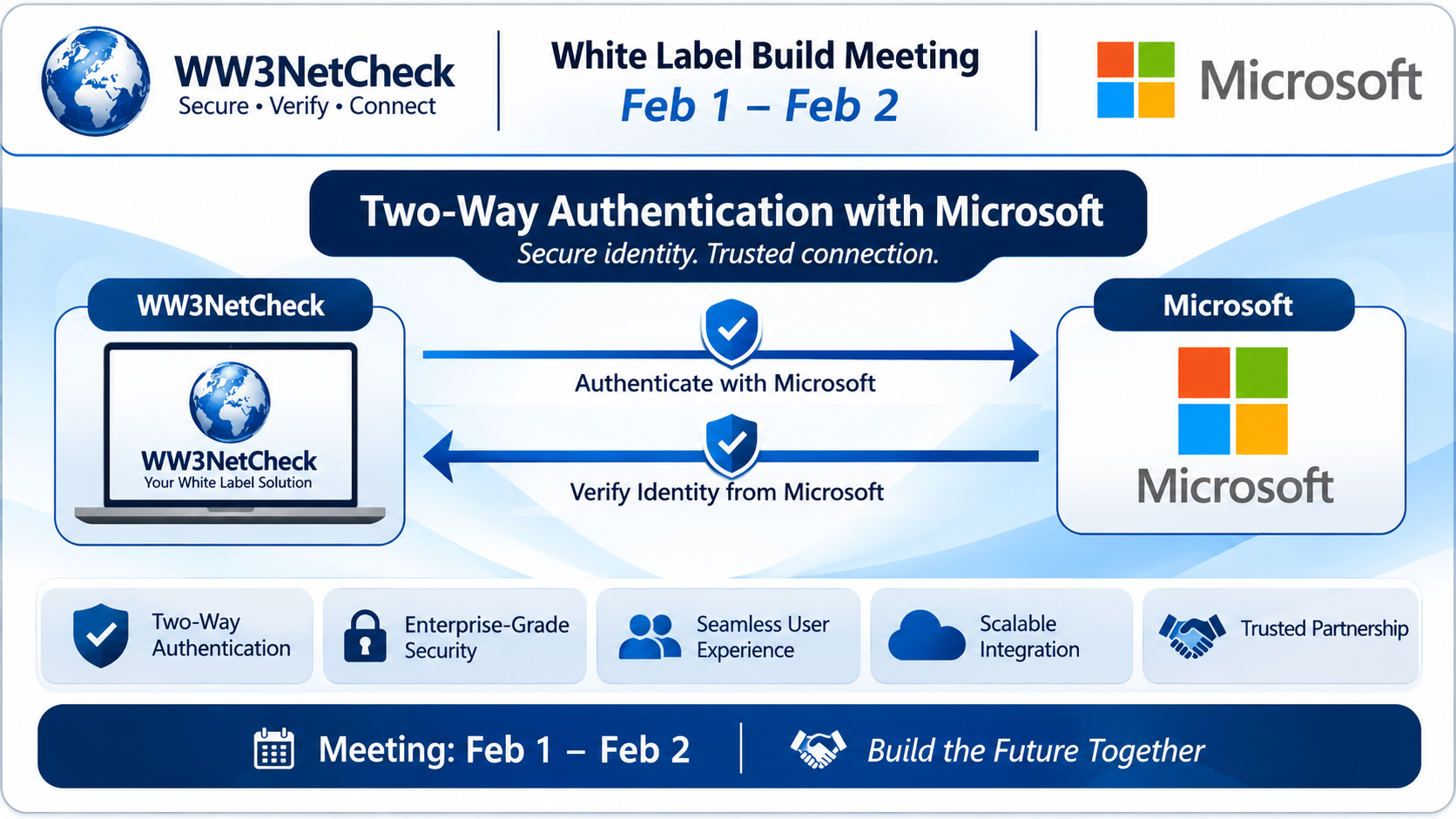
This white paper examines the design of a two-way authentication system in which a user verifies their identity to a web application and the application establishes that the user is communicating with the legitimate service.
The proposed architecture supports Microsoft Edge, Google Chrome, Mozilla Firefox and Apple Safari. It combines HTTPS/TLS, multi-factor authentication, WebAuthn passkeys, secure session management and optional mutual TLS for managed enterprise environments.
The paper also distinguishes between authenticating a user, authenticating a server, and establishing trust between two independently managed systems. These are related but different security functions.
The central recommendation is to implement standards-based authentication on the server, use browser-supported security mechanisms, and avoid treating a particular browser as proof of identity.
1. Introduction
Web applications are frequently accessed through multiple browsers. A user may sign in through Microsoft Edge on a Windows PC, continue in Chrome, and later access the same service through Firefox or Safari.
Each browser maintains its own cookies, local storage, authentication state and security boundaries. Consequently, a successful login in one browser does not automatically authenticate another browser.
A secure system must answer three questions:
- Who is the user? The system must verify the person’s identity or possession of an approved authentication credential.
- Is the service legitimate? The browser must establish a protected connection to the intended server and validate its TLS certificate.
- Is the current session authorised? The server must determine which resources the authenticated user may access.
Two-way authentication, often called mutual authentication in network security, can refer to different mechanisms. For this paper, it means verifying the user and establishing the authenticity of the service. Where both network endpoints must explicitly authenticate using certificates, mutual TLS provides a more specific technical meaning.
2. Objectives
The proposed system has six objectives:
- Provide secure authentication across supported browsers.
- Prevent credentials from being exposed through unencrypted connections.
- Support two independent authentication factors where required.
- Reduce the risk of phishing and session hijacking.
- Allow users to sign in securely from more than one browser.
- Provide a testable architecture suitable for Windows-based web applications and enterprise deployments.
The design prioritises established standards over browser-specific authentication code.
3. Threat model
The system should be designed to resist the following threats.
| Threat | Security response |
|---|---|
| Fake login website | TLS validation and phishing-resistant passkeys |
| Stolen password | Multi-factor authentication and risk-based controls |
| Session-cookie theft | Secure cookies, short session lifetimes and revocation |
| Unauthorised browser session | Independent server-side session validation |
| Replay of authentication messages | Challenge-response protocols and one-time challenges |
| Man-in-the-middle attack | HTTPS/TLS certificate validation |
| Malicious browser extension | Minimise exposed secrets and apply endpoint security controls |
| Account recovery abuse | Strong recovery verification, alerts and revocation |
| Compromised authentication server | Restricted signing keys, monitoring, backups and incident response |
No authentication mechanism can guarantee security if the user’s device, authentication service or recovery channel is fully compromised. Security must therefore be layered.
4. Proposed architecture
The recommended architecture separates the browser interface, identity verification and application authorisation.
Architecture overview
User → Browser → HTTPS/TLS connection → Web application → Identity and authentication service → Authorisation and session management.
The principal components are:
A. Browser client
The client displays the login page and invokes browser-supported authentication facilities. It does not independently decide whether a user is trusted.
B. TLS-protected web server
The server presents a valid TLS certificate for the requested domain. The browser verifies the certificate chain, hostname and certificate validity before trusting the connection.
C. Identity service
The identity service validates passwords, passkeys, authenticator codes or other approved credentials. It issues a session only after the applicable authentication requirements have been satisfied.
D. Session manager
The server generates unpredictable session identifiers, validates each request, enforces expiration and supports session revocation.
E. Authorisation layer
The application checks permissions for every protected resource. Authentication establishes identity; authorisation determines what that identity may do.
F. Audit and monitoring
The system records relevant security events without storing passwords, private authentication keys or unnecessary sensitive information.
5. How two-way authentication works
The process consists of two related verification activities.
5.1 The browser verifies the server
When a user visits the application over HTTPS:
- The browser connects to the requested domain.
- The server presents its TLS certificate during the TLS handshake.
- The browser validates the certificate chain, domain name and applicable validity requirements.
- The TLS handshake establishes protected communication.
- The browser warns or refuses to proceed when certificate validation fails, according to its security policy.
This protects the connection against many impersonation and interception attacks. It does not, by itself, prove that the application is trustworthy in every respect.
5.2 The server verifies the user
After the secure connection is established:
- The user enters an account identifier or selects an existing passkey.
- The application requests the configured authentication method.
- The identity service verifies the credentials or validates a cryptographic assertion.
- Where required, the service verifies a second factor or a separate approval.
- The server establishes an authenticated session.
- Subsequent requests are checked against the session and the user’s permissions.
The second factor should be independent of the first. For example, a password plus an authenticator code provides two factors, whereas a password plus a security question does not necessarily provide a genuinely independent factor.
5.3 When both network endpoints require certificates
In managed environments, mutual TLS (mTLS) can authenticate both the server and a client possessing an approved certificate.
During the TLS handshake, the server requests a client certificate and validates it against an appropriate trust configuration. This can be useful for managed workstations, enterprise services and machine-to-machine connections.
However, ordinary browser users generally do not need client certificates for website login. Certificate provisioning, renewal, revocation and user experience make mTLS more appropriate for selected managed environments than for a universal public website.
6. Cross-browser compatibility
The recommended design uses a standards-based server-side identity system rather than attempting to authenticate users through browser names or fingerprints.
Microsoft Edge
Edge on Windows supports modern web security mechanisms, including WebAuthn and passkeys, subject to the operating system, authenticator and configuration. Integration with organisational identity services can support managed sign-in policies.
Google Chrome
Chrome supports WebAuthn and passkeys on compatible platforms. The application should use the standard browser APIs rather than a Chrome-only authentication method.
Mozilla Firefox
Firefox supports WebAuthn-based authentication in compatible versions and environments. Tests should cover authenticator availability, browser permissions and differences in user interaction.
Apple Safari
Safari supports passkeys and WebAuthn on supported Apple platforms and configurations. Authentication flows should account for differences in operating-system integration and available authenticators.
Compatibility principle
The four browsers should connect to the same identity service and use the same account records, security policy and authorisation rules.
A browser may have its own session cookie, even when the same account is used across several browsers. The system should not assume that sessions or local browser storage are automatically shared.
Before deployment, test the exact browser versions and operating systems that the application intends to support.
7. Recommended authentication methods
7.1 Passkeys and WebAuthn
Passkeys use public-key cryptography. A credential’s private key remains under the control of the authenticator, while the service stores the corresponding public key and associated credential information.
During authentication, the server provides a fresh challenge. The authenticator creates a signed response that the server validates.
WebAuthn credentials are scoped to a relying party and are designed to resist phishing by binding authentication to the legitimate service origin. A passkey may also use local user verification, such as a device PIN or biometric check.
Recommendation: Use passkeys as the preferred authentication option where supported.
7.2 Password and authenticator application
For accounts that cannot use passkeys, a password combined with a time-based one-time password (TOTP) or another approved second factor can provide additional protection.
The system must securely store password verifiers and protect the authenticator enrolment process. Recovery codes should be generated securely, displayed safely and invalidated when used.
7.3 Email verification
Email-based verification can help confirm account ownership and support recovery. However, email alone is not an ideal high-assurance second factor because the email account itself may be compromised.
7.4 Mutual TLS
Use mTLS when both ends of a connection must present trusted certificates, particularly for managed enterprise clients and service-to-service communication.
It should be introduced only when certificate lifecycle management is available.
8. Session management across browsers
A cross-browser authentication design must distinguish between the user’s account and each browser’s active session.
Consider a user who signs in through Edge and subsequently opens Chrome.
The correct behaviour is:
- Both browsers reach the same identity service.
- Each browser completes its own login or approved single sign-on flow.
- The server independently validates each resulting session.
- The account’s security policy applies consistently to both sessions.
- Signing out of one browser does not automatically terminate another session unless the application explicitly implements account-wide logout or identity-provider single logout.
For a conventional web application, session cookies should normally include the Secure and HttpOnly attributes and an appropriate SameSite policy. Cookie scope should be kept as narrow as practical.
The application should also enforce session expiration, rotate session identifiers after authentication or privilege changes, protect state-changing requests against cross-site request forgery where applicable, and provide a way to revoke active sessions.
Browser fingerprinting should not be treated as a substitute for authentication. It is neither a dependable proof of identity nor a reliable way to distinguish legitimate users from attackers.
9. Implementation plan
The following staged approach is suitable for a Windows-hosted application or a cloud-hosted web service accessed from Windows.
Phase 1 — Requirements and threat modelling
Document the supported browsers, user groups, account recovery process, required assurance level and any enterprise certificate requirements.
Identify the assets to protect and the consequences of unauthorised access.
Phase 2 — Secure transport
Configure HTTPS with a valid certificate. Redirect HTTP requests to HTTPS and deploy suitable TLS settings.
Test certificate renewal, expiration handling and browser certificate warnings.
Phase 3 — Identity provider
Select an established identity provider or a maintained server-side authentication framework. Implement passkeys first where practical, with an appropriately protected fallback.
Do not implement custom cryptographic authentication protocols when a proven standard is available.
Phase 4 — Session and permission controls
Implement secure cookies, server-side session validation, account-level permissions, logout, revocation and session expiration.
Ensure that all protected endpoints enforce authorisation independently of the visible browser interface.
Phase 5 — Browser integration
Test login, logout, passkey registration, second-factor enrolment, recovery and session expiry in Edge, Chrome, Firefox and Safari.
Test normal browser windows and private browsing separately. Private browsing may change cookie persistence and available authentication integrations.
Phase 6 — Security verification
Conduct automated tests, manual security testing and a review of authentication logs. Resolve compatibility and security defects before production deployment.
Phase 7 — Monitoring and maintenance
Monitor failed logins, suspicious session creation, recovery attempts and authentication policy changes. Review browser compatibility and dependencies periodically.
10. Testing matrix
| Test | Edge | Chrome | Firefox | Safari |
|---|---|---|---|---|
| HTTPS certificate validation | Test | Test | Test | Test |
| Passkey registration | Test | Test | Test | Test |
| Passkey login | Test | Test | Test | Test |
| Password plus second factor | Test | Test | Test | Test |
| Secure session cookie | Test | Test | Test | Test |
| Logout and session expiry | Test | Test | Test | Test |
| Account recovery | Test | Test | Test | Test |
| Private browsing behaviour | Test | Test | Test | Test |
| Revoked session rejection | Test | Test | Test | Test |
Record the browser version, operating system, authentication method, result and any observed failure. Repeat testing after material browser or identity-provider updates.
11. Security acceptance criteria
The system should not be considered ready for deployment until the following conditions are met:
- The server presents a valid certificate for the intended domain.
- Authentication challenges are unpredictable and cannot be reused successfully.
- Invalid credentials and invalid authentication assertions are rejected.
- Protected resources require a valid, authorised session.
- Session identifiers are not exposed to client-side scripts.
- Logout and session revocation work as specified.
- Account recovery does not bypass the intended security assurance.
- Authentication succeeds consistently across the supported browsers.
- Sensitive credentials and private keys are not written to application logs.
- Administrative and authentication events are auditable.
Testing must verify actual behaviour rather than simply confirming that the login page loads.
12. Privacy and operational considerations
Authentication systems process information that can reveal user activity. Collect only the information needed to protect accounts and operate the service.
Avoid retaining unnecessary IP addresses, detailed device fingerprints or full authentication payloads. Restrict access to security logs and define retention periods appropriate to legal requirements and operational needs.
Use role-based access controls for administrators. Protect identity-provider configuration, signing keys and recovery mechanisms with stronger controls than ordinary application content.
For systems handling personal data in the European Economic Area, assess applicable GDPR obligations and document the purpose, retention and protection of authentication records.
13. Limitations
No single authentication method eliminates every threat.
Passkeys can reduce phishing risk but cannot protect a fully compromised endpoint. Multi-factor authentication can be undermined by social engineering or weak recovery procedures. TLS authenticates the server’s domain connection but does not guarantee that the website’s content or business practices are safe.
Likewise, using the same account in multiple browsers does not establish that those browsers belong to the same physical person. Additional device management or enterprise controls may be necessary where that distinction is important.
14. Conclusion
Reliable two-way authentication across browsers is best achieved by separating secure transport, user authentication, session management and authorisation.
The recommended baseline is HTTPS/TLS, standards-based passkeys using WebAuthn, secure server-side sessions and a tested recovery process. Password-based authentication with an additional factor can serve as a controlled fallback. Mutual TLS should be reserved for deployments where explicit client-certificate authentication is a genuine requirement.
Microsoft Edge, Google Chrome, Mozilla Firefox and Safari can all participate in a common standards-based architecture, provided the application tests the relevant versions and platform combinations.
The most important design principle is simple: trust should be established through verifiable cryptographic and server-side controls, not inferred from the browser a person happens to use.
15. Standards and further reading
- W3C Web Authentication (WebAuthn): https://www.w3.org/TR/webauthn-3/
- FIDO Alliance — Passkeys: https://fidoalliance.org/passkeys/
- IETF TLS 1.3 — RFC 8446: https://www.rfc-editor.org/rfc/rfc8446
- OWASP Authentication Cheat Sheet: https://cheatsheetseries.owasp.org/cheatsheets/Authentication_Cheat_Sheet.html
- OWASP Session Management Cheat Sheet: https://cheatsheetseries.owasp.org/cheatsheets/Session_Management_Cheat_Sheet.html
- NIST Digital Identity Guidelines — SP 800-63B: https://pages.nist.gov/800-63-4/sp800-63b.html
These resources provide the standards and security guidance needed to turn this proposal into a tested implementation.
End of white paper
Document status: Design proposal. This paper does not claim that a working authentication system has already been deployed or independently security-tested.
2026 Technology (3) AI (5) Artificial Intelligence (3) Bayern Munich (2) Blog (103) Castle (112) Champions League (2) Changing of the Guard (2) dea (84) drink (96) England (6) Eton Walkway (2) food (94) football (8) Football Tactics (2) Future Technology (3) medication (94) Prediction (3) Premier League (4) Premier League 26/27 (7) river thames (2) royal landmarks UK (2) scenic walks England (2) Science Fiction (3) soccer (5) Space Technology (2) Technology (2) Thca (2) UK walking routes (2) visiting windsor castle (3) Windsor (107) Windsor 2026 (2) Windsor Castle (2) Windsor castle blog (112) Windsor Castle walk (3) Windsor Drinks (104) Windsor Events (3) Windsor Great Park (4) Windsor hungry (99) Windsor Long Walk (3) Windsor tourism (3) Windsor travel blog (3) Women’s Football (3) Women’s Super League (2) World Cup (3)
-
WHITE PAPER
Two-Way Authentication Across Different Web Browsers A Cross-Browser Security Architecture for Windows PCs, Web Applications and AI-Assisted Systems Document type: Technical white paperVersion: 1.0Date: 13 November 2026Focus: Mutual authentication, multi-browser compatibility, identity verification and secure session management Abstract Modern web applications must protect users against account impersonation, phishing, stolen credentials and unauthorised access. These risks…